

We regularly update the HydraCALC database to add and make changes to fittings, pipe types, valves, backflow preventors and technical data sheets in PDF format for all of these.
We make this database available for download in the Customer Support area of our website, which can be found at www.HydraCAD.com. Enter the Customer Support area by picking the Login button at the upper right of our home page. Then, navigate to the folder seen below by selecting HydraCALC, then Complete Data Update
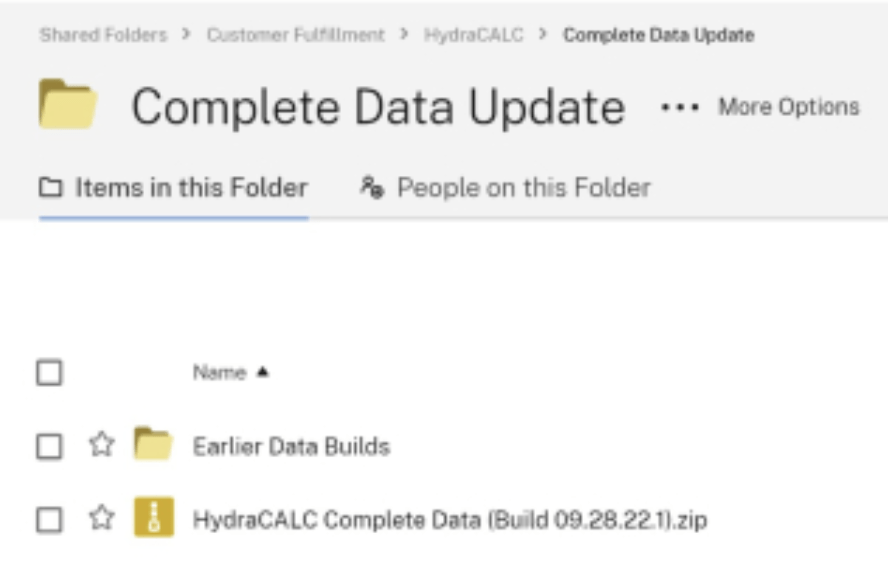
Download the .zip file to a location on your hard drive. Then, extract the contents to a new folder on a drive. Then, run the SETUP.EXE to install the new data. Note that this will replace any changes you may have made to our database. So, you may want to keep a copy of your changes so that you can reapply them. Or, simply request that we add the items you may have modified to our regular database, and that way you will not have to worry about that.
The key database file which users may have modified for HydraCALC is Master.DAT which resides in the \HES\HydraCALC\Ver50\Data\Setup folder. This file contains all your pipe, fitting and valve data and is well worth protecting. This file is automatically backed up when you run the Complete Data Update, but we suggest that you back this file up whenever you make your own changes and keep the backup in a distant and safe location.


Leave a comment