The H-Factor

Reducing Entropy

Recent Posts

Welcome

Recently our previous blog service (Typepad) ended their business – so, we have a new home. It will take a bit to get images back and displaying properly, but we are working on it! Final pageview count of original Typepad blog: 387,232

Using a Non-Standard Pipe Type in HydraCALC

A customer called today asking how to enter a 1″ black plastic underground pipe for the calc. This particular situation sounded unique enough that I did not tell him to add that pipe type to our database, as I would have if he expected to see this pipe type used repeatedly. I told him to…

Using the Hydratec Software Download Area

Hydratec uses ShareFile to distribute our software installs and updates. New customers, or those without access, must request access to be able to get at these downloads. Access is only available to customers with a Hydratec subscription or those on an update plan. You can access the download area and request access by picking the…

August 2022
M T W T F S S
1234567
891011121314
15161718192021
22232425262728
293031  

From a Customer:

“We’re engineers. As such our expectations for plans are a little different than installers. We need to use clear, consistent 2-dimensional symbols and simple lines to represent pipes without fittings. Right now all of our projects are showing top-down 3d models in plan view and every single pipe fitting. This makes it challenging to review the components for ourselves and our jurisdictional reviewers.

Is there a function we’re missing that would allow us to simplify the plan views?”

There is:

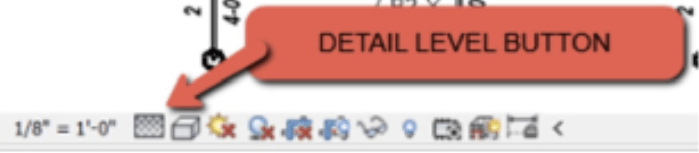
Each view in Revit has three (3) potential detail levels. The detail level button is here:
The Choices

Detail Level FINE
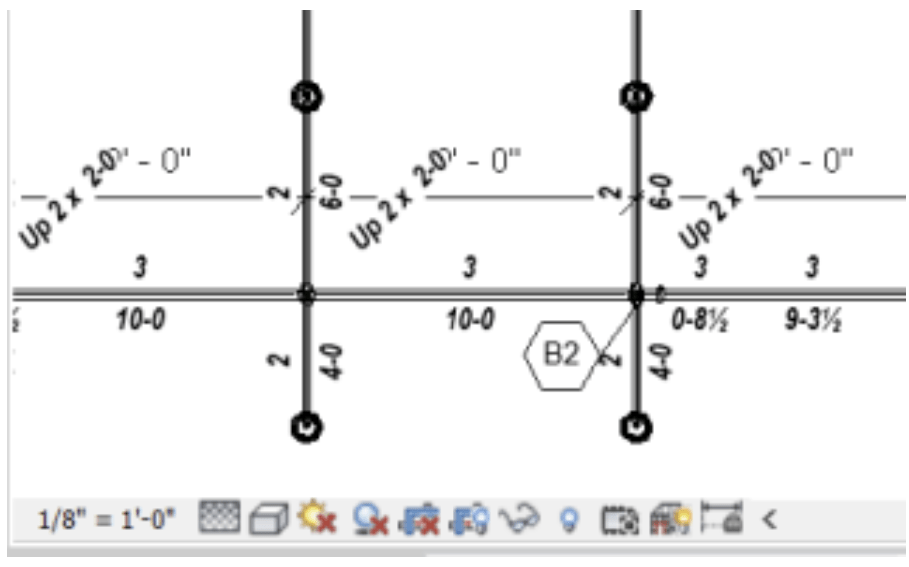
Detail Level MEDIUM
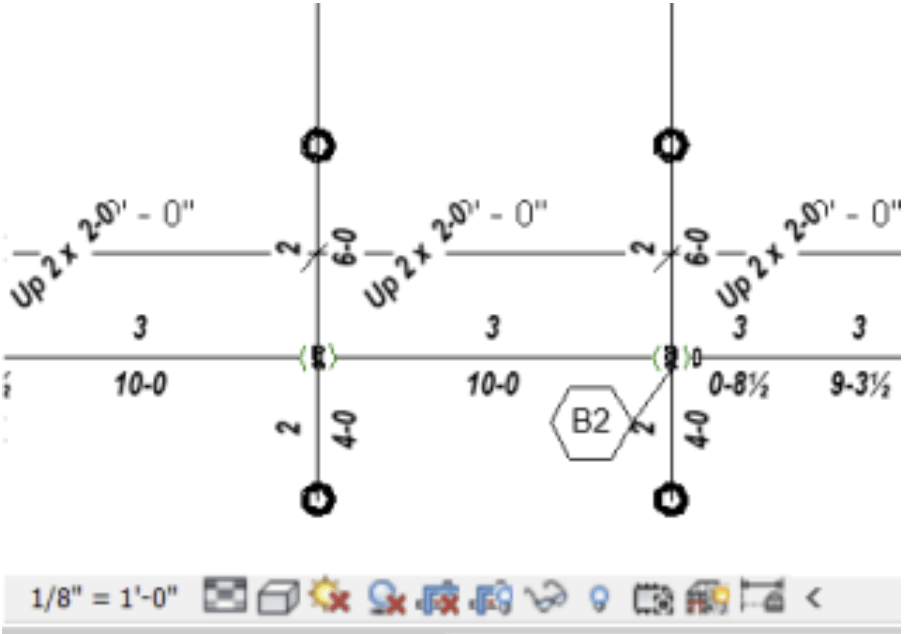
Detail Level COARSE
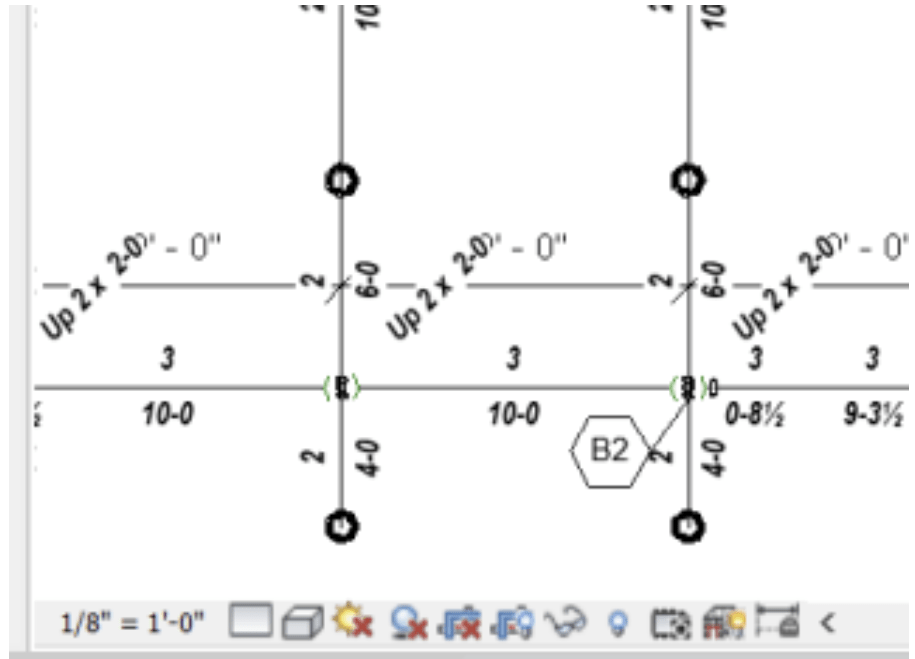

Simply choose the detail level that works best for you.

Posted in

Leave a comment