The H-Factor

Reducing Entropy

Recent Posts

Adding Hanger Types to HydraLIST

If you want to use a new type of hanger, or are a fab shop that gets a job from a contractor that uses a hanger type that you do not have, it is easy to add that new hanger type to your own machine. A hanger is an assembly, and an assembly is just…

Welcome

Recently our previous blog service (Typepad) ended their business – so, we have a new home. It will take a bit to get images back and displaying properly, but we are working on it! Final pageview count of original Typepad blog: 387,232

Using a Non-Standard Pipe Type in HydraCALC

A customer called today asking how to enter a 1″ black plastic underground pipe for the calc. This particular situation sounded unique enough that I did not tell him to add that pipe type to our database, as I would have if he expected to see this pipe type used repeatedly. I told him to…

September 2026
M T W T F S S
 123456
78910111213
14151617181920
21222324252627
282930  

After downloading a file, it is often Blocked. You must right-click on it, pick Properties and then check the Unblock item:
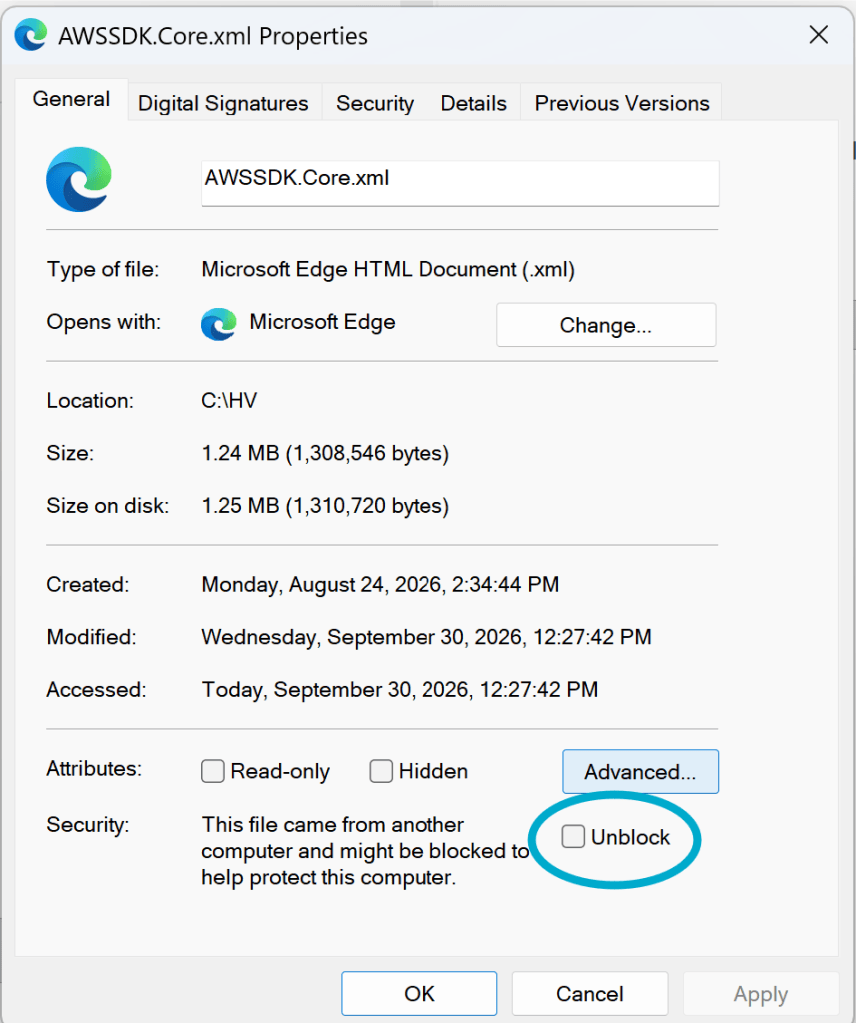
But doing a dozen or more files gets old, real fast.

I just learned a way to Unblock a batch of files at once. It involves using PowerShell, a Microsoft tool that is a pumped-up version of the CMD (Command) command line tool that has been around as long as Windows has.

To Unblock a folder full of files:

  1. Hold down the Shift button and right-click in a blank space in the folder
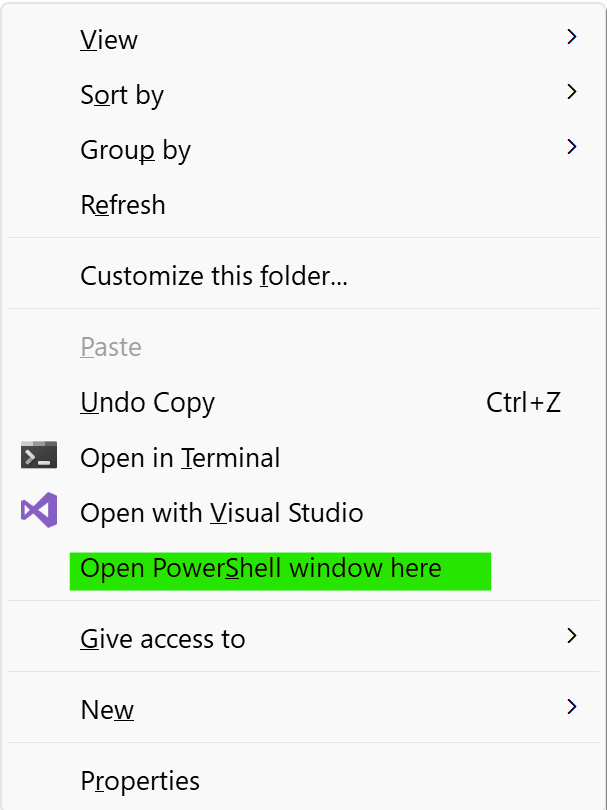
2. Pick Open PowerShell window here. This brings up the PowerShell window
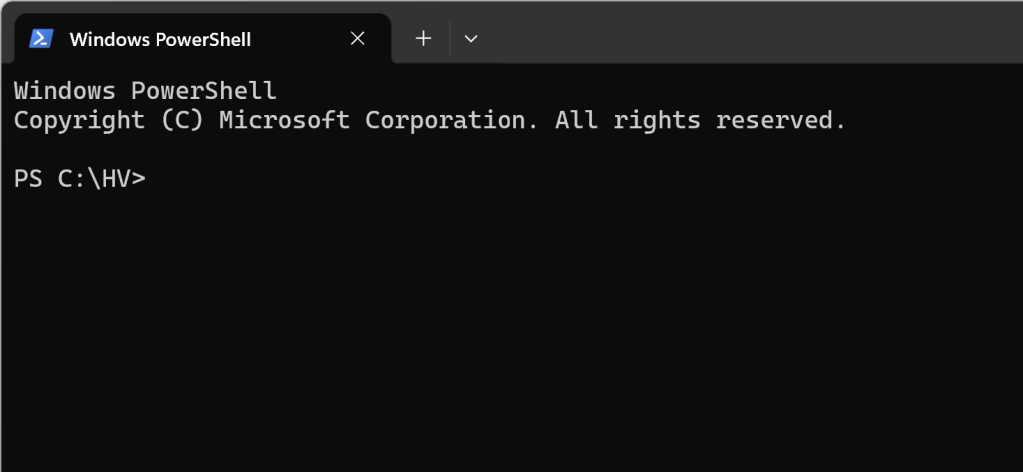
3. In this window, type:

dir | Unblock-File

and press Enter. This will unblock all the files in the current folder. By the way, dir is short for directory, which is the old name for folders

To unblock all files in the current folder AND subfolders:

dir -Recurse | Unblock-File

To see which files will be affected by the command, use:

dir -Recurse | Unblock-File -WhatIf

Posted in

Leave a comment