

When a riser nipple is inserted a property is programmatically set identifying the riser nipple as a Line, Main, Arm-over or Underground for listing purposes. This can be ascertained by looking at the Properties of the rider nipple in question.
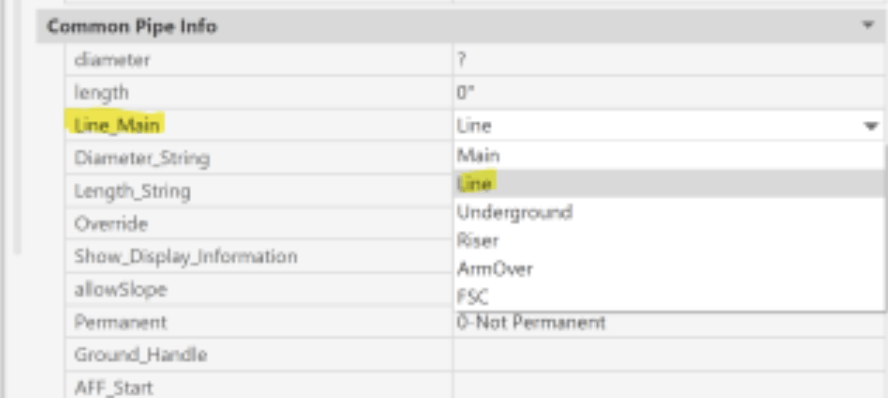
Most of the time, the way it is set is perfectly correct. On occasion, however, you might want to list a riser nipple a particular way. This most often happens when a riser nipple connecting a line to a main should be listed as a Main component due to a particular fitting or fabrication method, instead of the default listing configuration of Line. You could change it in the Properties or you can do it a better way:
The Change Riser Nipple Listing Type command will make this easy. The Edit Riser Nipple command (ERN) on the riser nipple flyout of the Piping toolbar is where you will find it.
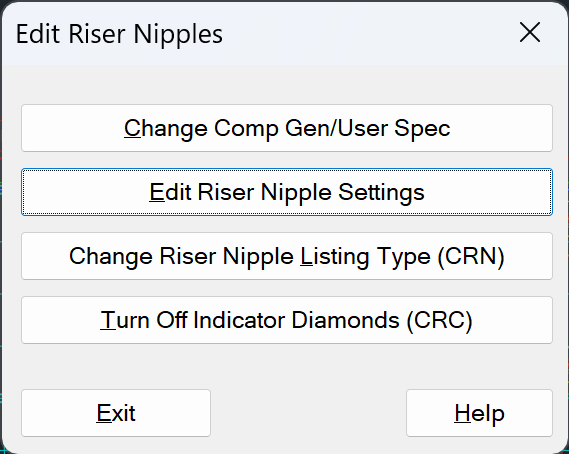
Type in ERN and pick the third item on that menu to activate the command.
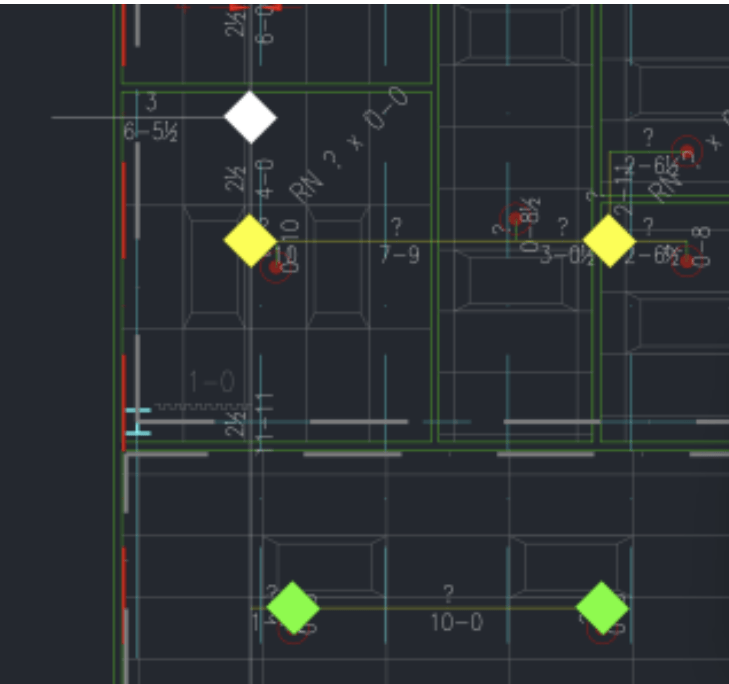
This command adds a colored diamond to each riser nipple. The color assigned denotes how the riser nipple is defined, for listing purposes.
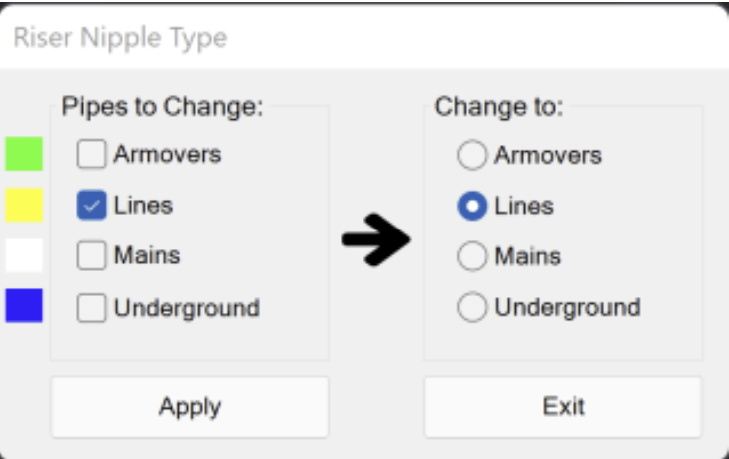
If you want to change one of those riser nipples, select the Pipes to Change and pick Apply. You will then be prompted to select the riser nipple(s) to change; the ones you select will be filtered based on your above selection.
Picking Exit will clear all the diamonds.


Leave a Reply