

From a customer in Indiana:
Q: Over the past few years we have added several items to our database and many of the items require a long description. I have tried to abbreviate as much as I can but I am unable to get the description small enough to fit in the “Item” description box in HydraLIST. Is there any way of getting this to be more than 30 characters long. Thanks for all you help.
A: From co-worker Paul McKenna – We have had a long description in HydraLIST for some time now although most people do not use them
You must be in the General Data section where you alter the data associated with HydraLIST. In there, pick P/N Table
The items that have long descriptions will have the description highlighted in orange.
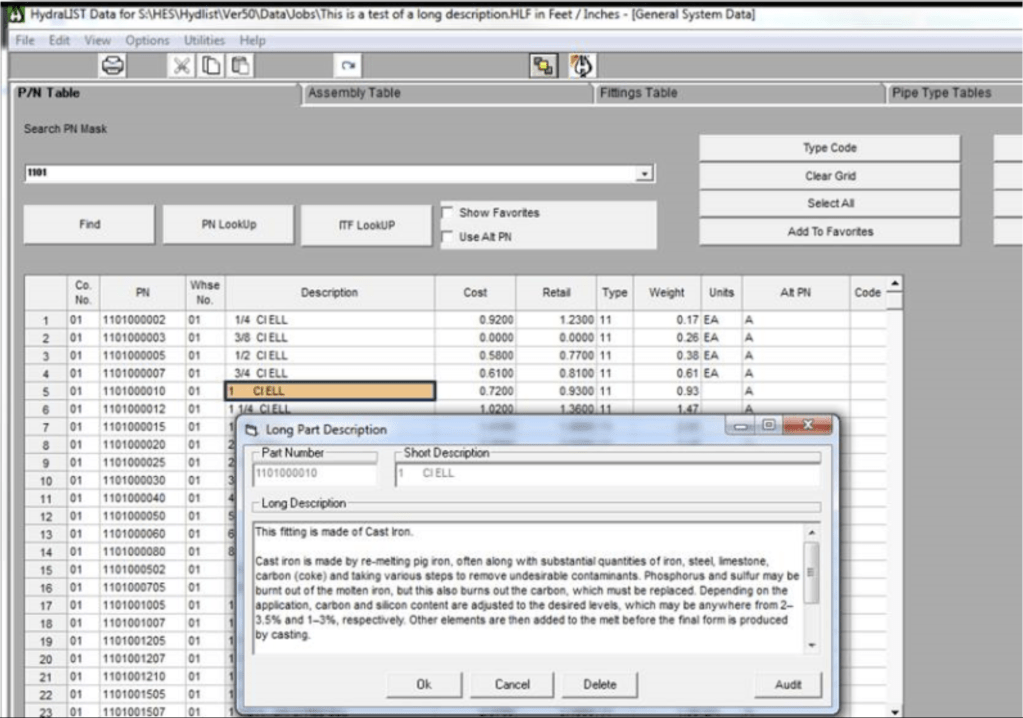
The long description is accessed by right clicking on the fitting description.
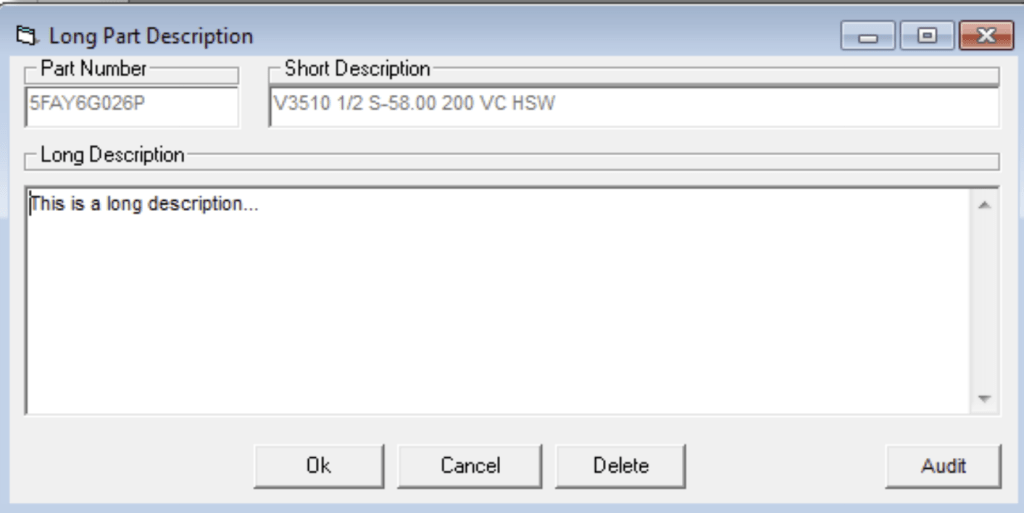
Enter the long description and pick OK to save the description. Pick cancel to return to the P/N Table without saving. Pick Delete to remove the long description and return to the P/N table. Pick Audit to eliminate long descriptions that are in the long description file but have not entries in the P/N table. Long descriptions can be added to the database when picking sprinklers for the Head Selector or Valves for the Valve selector by answering ‘Yes’ when prompted when collecting data.
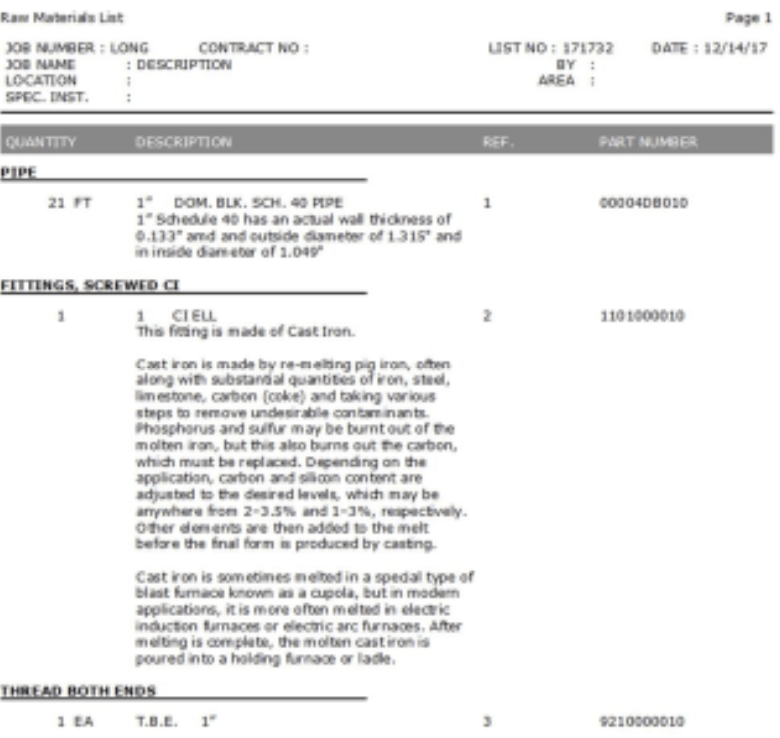
Long Descriptions are included in the data when exporting or importing data in the P/N table. You will see the Long Description when you print out the Raw Materials List
 The H-Factor
Leave a comment