

From a customer:
“Hello. I have used Hydratec for a number of years and believe it is the best and easiest software to use. I do have a suggestion. Is it possible to put a drop-down on the beginning of Hydra-Calc Setup along with the head area, first node, etc. that would allow you to choose the C-Factor of the lines and mains? When calculating dry system, currently you have to choose each line to change the C-Factor. I think adding this would make calculating dry systems easier and faster.”
There is a faster way to do this already. It is especially useful since many authorities now insist that even galvanized piping be calculated using a C-Factor of 100.
There have long been two pipe types that are set up with a default C-Factor of 100. The idea is to select these pipe types when AutoCalculating (or manual calculating). You will then maybe only need to change the riser pipe to C=120.
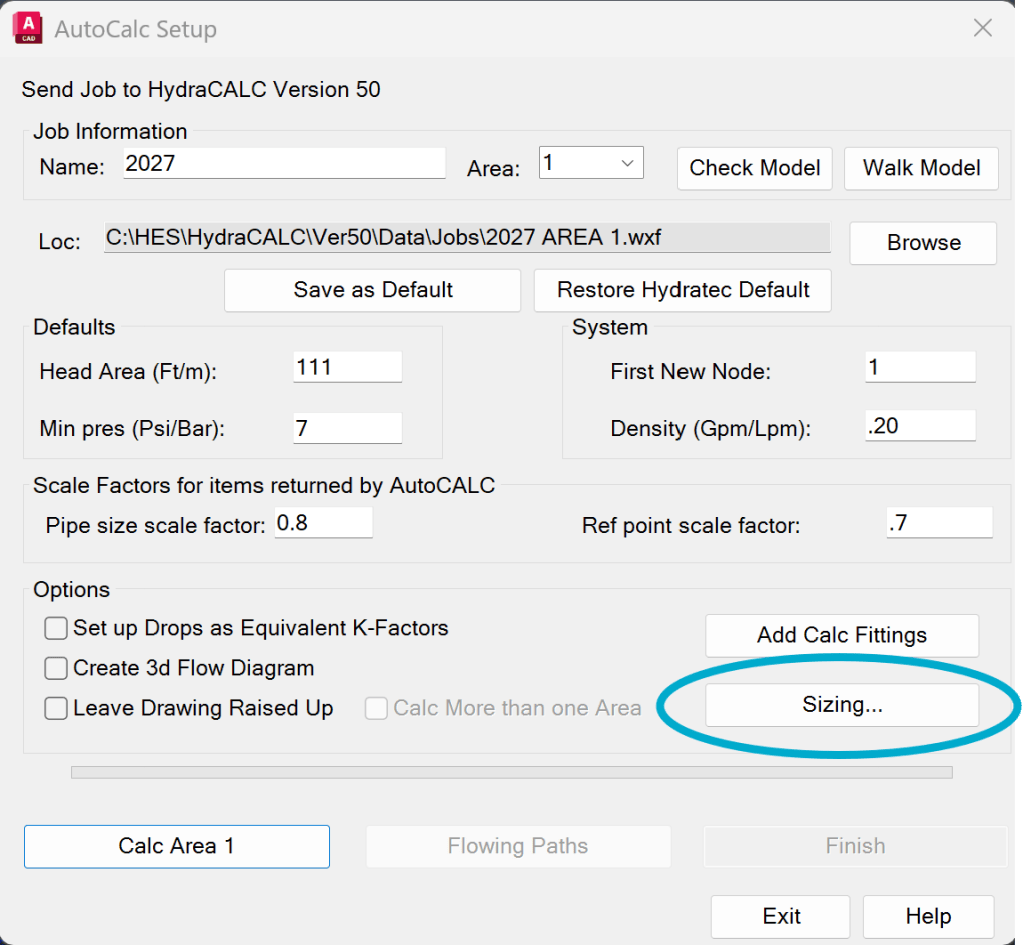
When you pick start AutoCalc, it brings up a dialog. Pick the Sizing button.
This brings up the Sizing Schedule. Pick the dry pipe types you want for your branchlines, riser nipples and mains.
Note that there are currently four dry pipe tables:
DRY SCHED-40 C=100
DRY SCHED-40 C=120
DRY SCHED-10 C=100
DRY SCHED-10 C=120
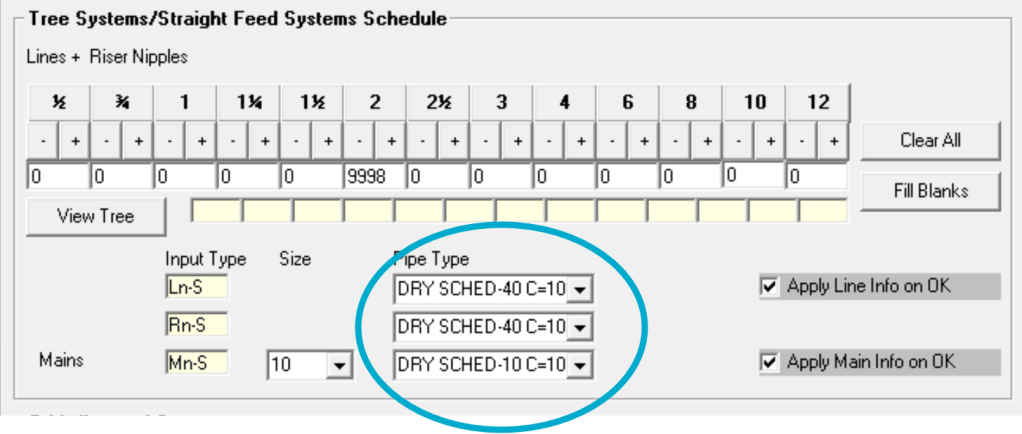
Pick Ok and these will be used for your calculation and are now the defaults for the next calc as well.


Leave a Reply