The H-Factor

Reducing Entropy

Recent Posts

Welcome

Recently our previous blog service (Typepad) ended their business – so, we have a new home. It will take a bit to get images back and displaying properly, but we are working on it! Final pageview count of original Typepad blog: 387,232

Using a Non-Standard Pipe Type in HydraCALC

A customer called today asking how to enter a 1″ black plastic underground pipe for the calc. This particular situation sounded unique enough that I did not tell him to add that pipe type to our database, as I would have if he expected to see this pipe type used repeatedly. I told him to…

Using the Hydratec Software Download Area

Hydratec uses ShareFile to distribute our software installs and updates. New customers, or those without access, must request access to be able to get at these downloads. Access is only available to customers with a Hydratec subscription or those on an update plan. You can access the download area and request access by picking the…

October 2021
M T W T F S S
 123
45678910
11121314151617
18192021222324
25262728293031

Quick Assist is built into Windows 10 and allows for remote control connections to other computers. No downloads or other software needed!

Type in Quick Assist at the Windows Search bar. You are given two simple options when it launches

If you want to take control or see another person’s computer, choose the Give assistance option. If someone wants to connect to you, use the Get assistance option
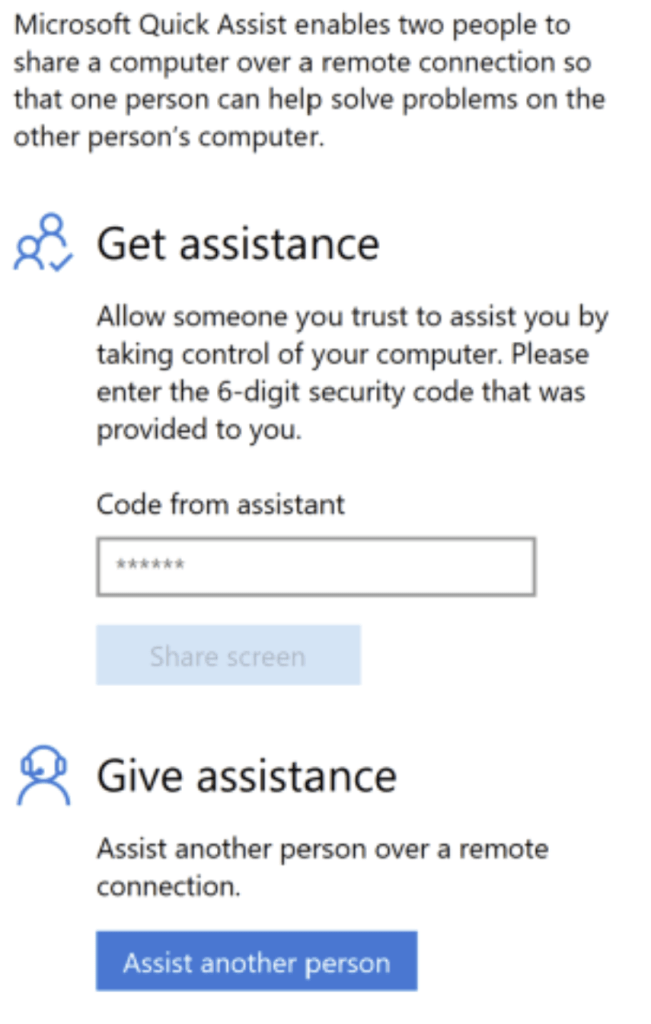
For example, Pick Assist another person. The app will connect to the netherworld and await confirmation with the other user

Have the other person launch Quick Assist as well. Supply them the six-digit code you see. Once they type that number in on their end (by typing it into the Code from assistant box in Step 1), you will be connected and given sharing options.
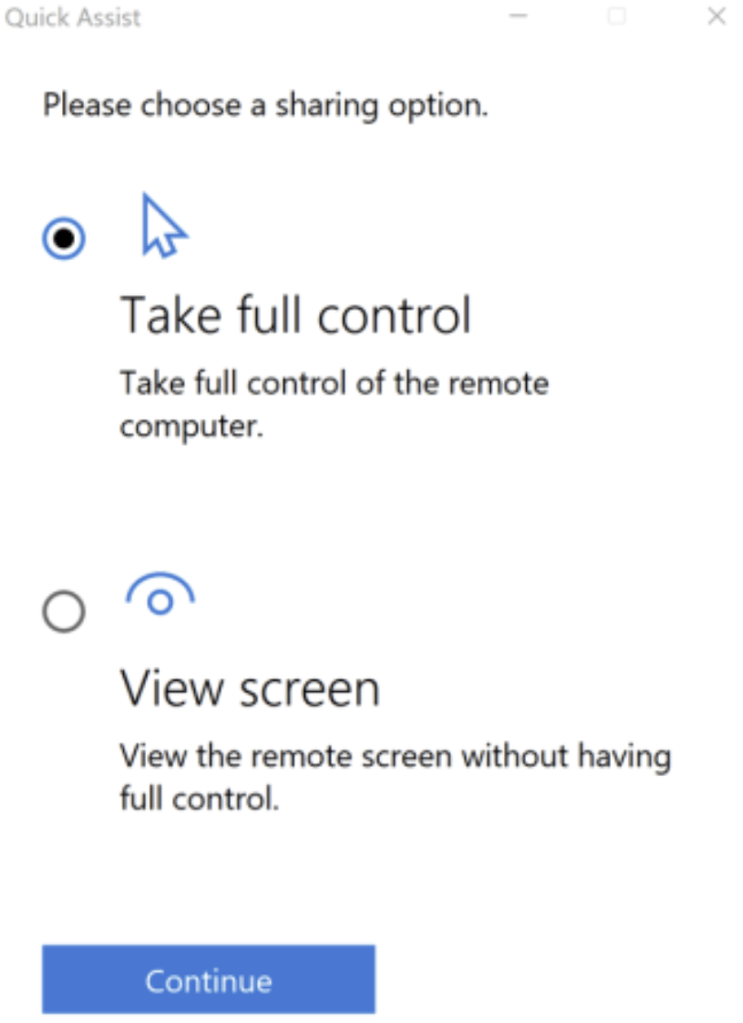
Choose your sharing option

    Posted in

    Leave a comment