

You buy an Autodesk Subscription, but are stymied when trying to install it on a user’s machine? Yeah, so are a lot of people. Autodesk does not do a good job of explaining how user access works, IMHO.
Here is a typical scenario:
ABC Sprinkler Company buys two AEC Industry Collections. Johnny B. is the Contract Manager. He got that designation by being the one who ordered the software or who we understood to be the one who is going to handle the deployment of the software. He downloads the software from Autodesk Account and puts the install files on the company server. He then tells Bobby D. to install it. Bobby does so, but cannot actually use the software because he is told…
Contact your administrator to request permission to use this product.
…when he tries to use it. What happened?
This page from Autodesk explains it a bit, but i will try to go further than that.
Why did it fail?
Because each user must be specifically and explicitly given access to each product they are expected to use.
Why does Autodesk do this?
Because without user access being specified, users would be able to ‘hoard’ as many products as are available (i.e. AutoCAD, Revit, Navisworks), possibly leaving those that really need it out in the cold.
What must be done?
User Access must be granted. This is done by the Contract Manager. They must log into their Autodesk Account and give the users access. Tips on using the Autodesk Account can be found on this earlier post: Navigating Autodesk Account
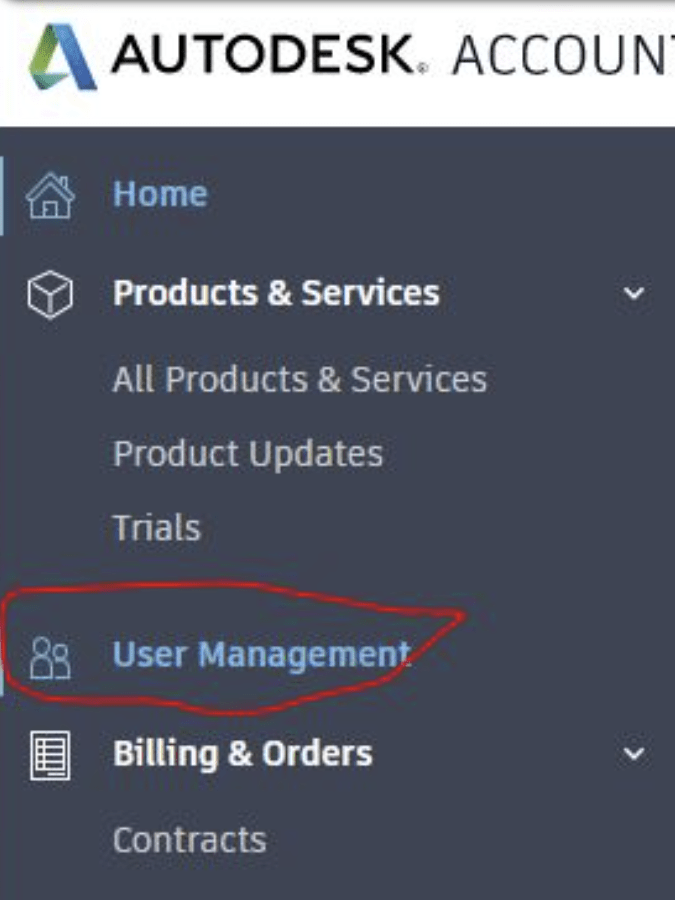
1. From the list at left, Pick User Management:
2. A list of users will appear:
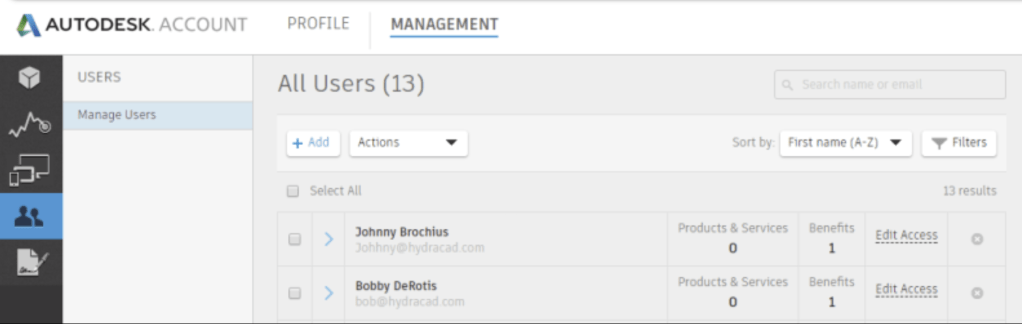
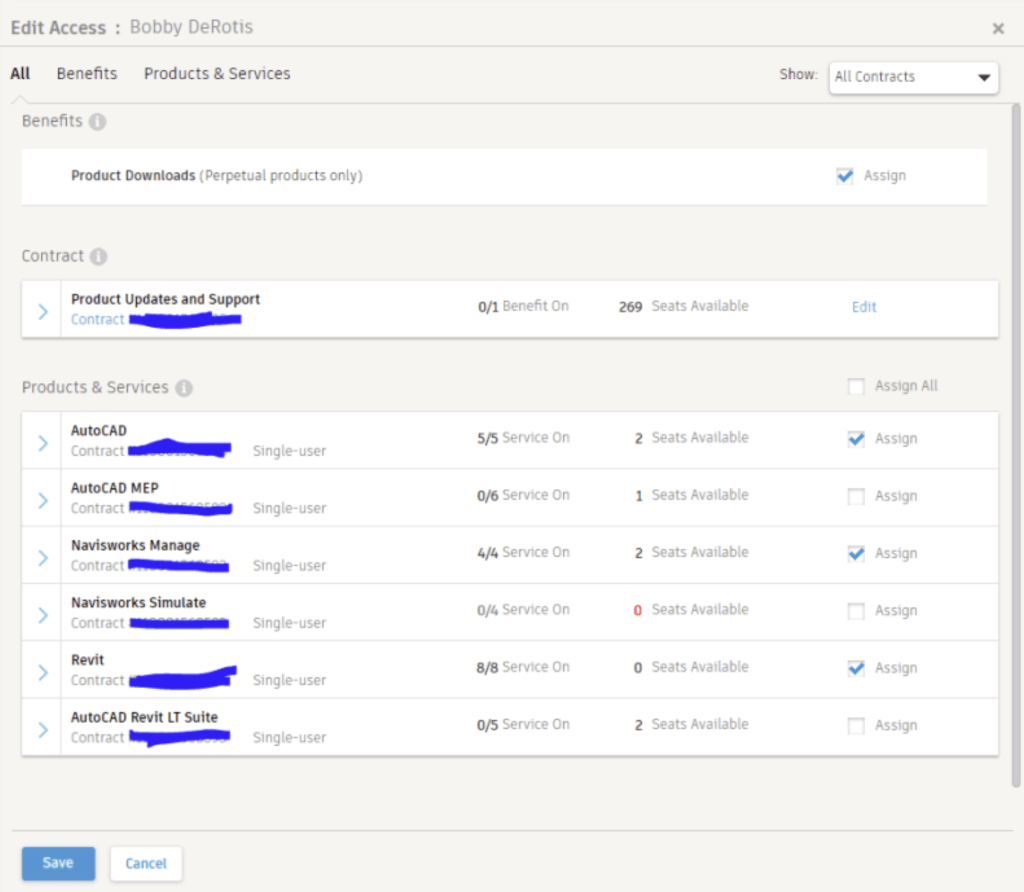
3. Pick Edit Access for the user you are working with. Check the Assign box for all products you want to give them access to
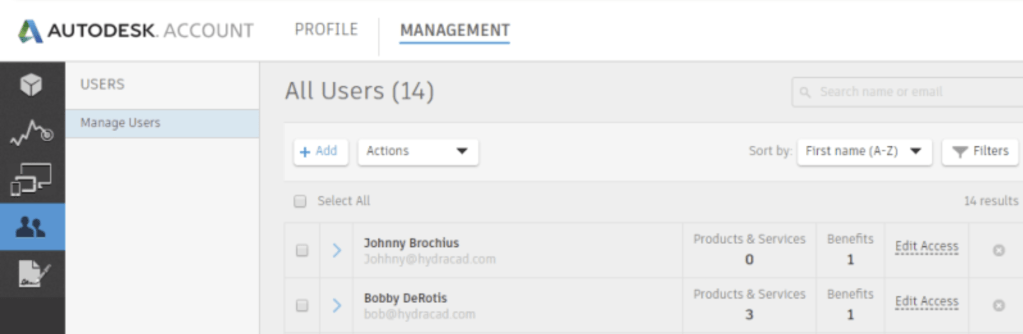
4. Pick Save. In a few moments the User screen will update with the Products and Services showing the number of programs they can access


Leave a Reply