The H-Factor

Reducing Entropy

Recent Posts

Adding Hanger Types to HydraLIST

If you want to use a new type of hanger, or are a fab shop that gets a job from a contractor that uses a hanger type that you do not have, it is easy to add that new hanger type to your own machine. A hanger is an assembly, and an assembly is just…

Welcome

Recently our previous blog service (Typepad) ended their business – so, we have a new home. It will take a bit to get images back and displaying properly, but we are working on it! Final pageview count of original Typepad blog: 387,232

Using a Non-Standard Pipe Type in HydraCALC

A customer called today asking how to enter a 1″ black plastic underground pipe for the calc. This particular situation sounded unique enough that I did not tell him to add that pipe type to our database, as I would have if he expected to see this pipe type used repeatedly. I told him to…

August 2016
M T W T F S S
1234567
891011121314
15161718192021
22232425262728
293031  

From a long-time customer and friend:

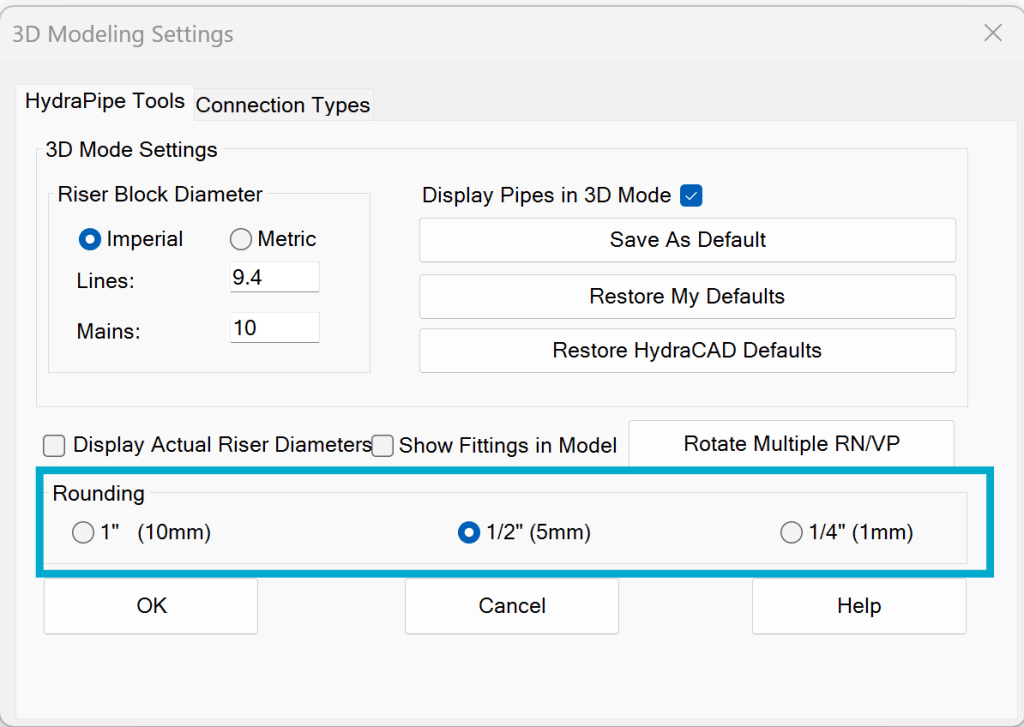
‘I had a question about center to center dimensions on pipe. We do tons of CPVC, and the ½” increments aren’t necessary. Can I force 1” increments on the center to center dimensions?”

This can be done by setting the default drawing pipe dimension rounding to the nearest inch. The pipe must be sized before this process is begun.

Pick 3D Modeling Options (3MO) from the 3D Modeling toolbar:

Pick the HydraPipe Settings tab and set the Rounding to 1″. Pick Apply:
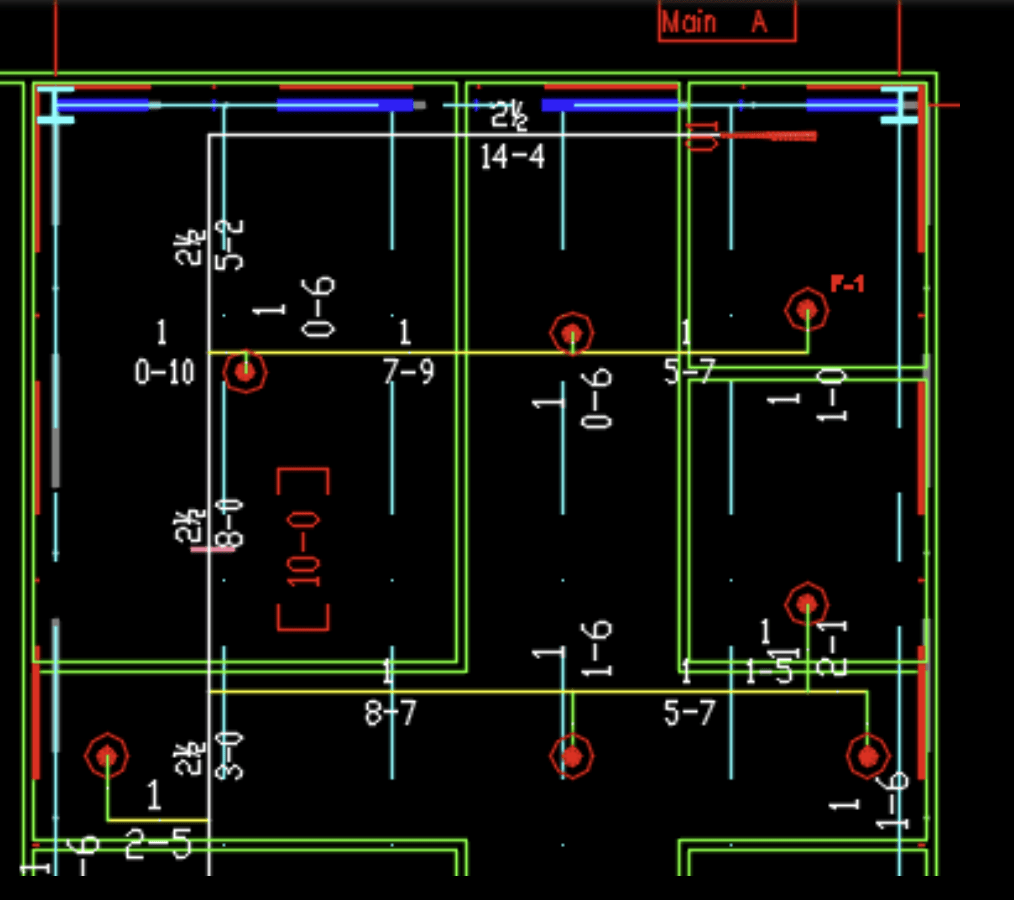
Raise the drawing to 3D. When it is brought back to 2D, you will see the pipe sizes are now to the nearest inch:
Posted in

Leave a comment