

If you’ve run into the problem where after returning your drawing from 3D to 2D you notice some sidewalls are being flipped, we can explain.
This is a result of how AutoCAD handles mirrored blocks. In the the image below, the two sidewalls on the left side have been inserted using HydraCAD’s sprinkler insertion tools. Their insertion angle is 180⁰, which is correct.
The two on the right side have been mirrored and although they are displayed graphically correct, the Insertion Angle property still shows 180⁰ where it SHOULD be 0⁰.
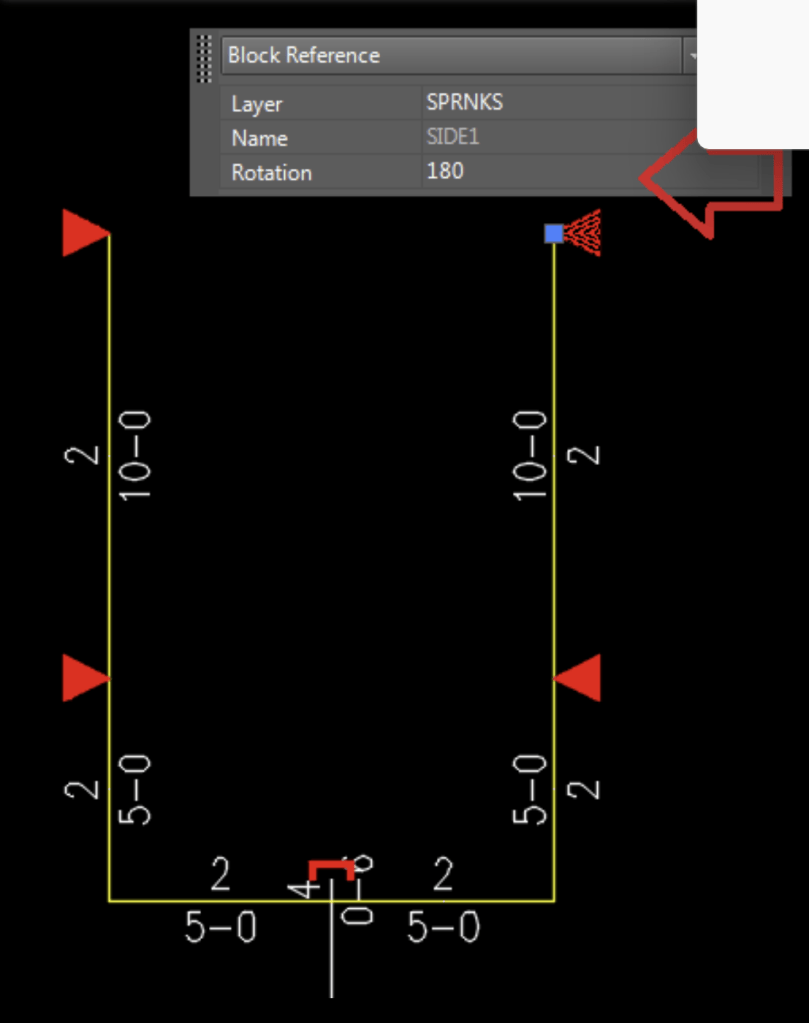
When raised to 3D and returned to 2D, you’ll notice the sprinkler head will be displayed in the Rotation Angle property (180⁰) and it appears HydraCAD flipped the sidewalls.
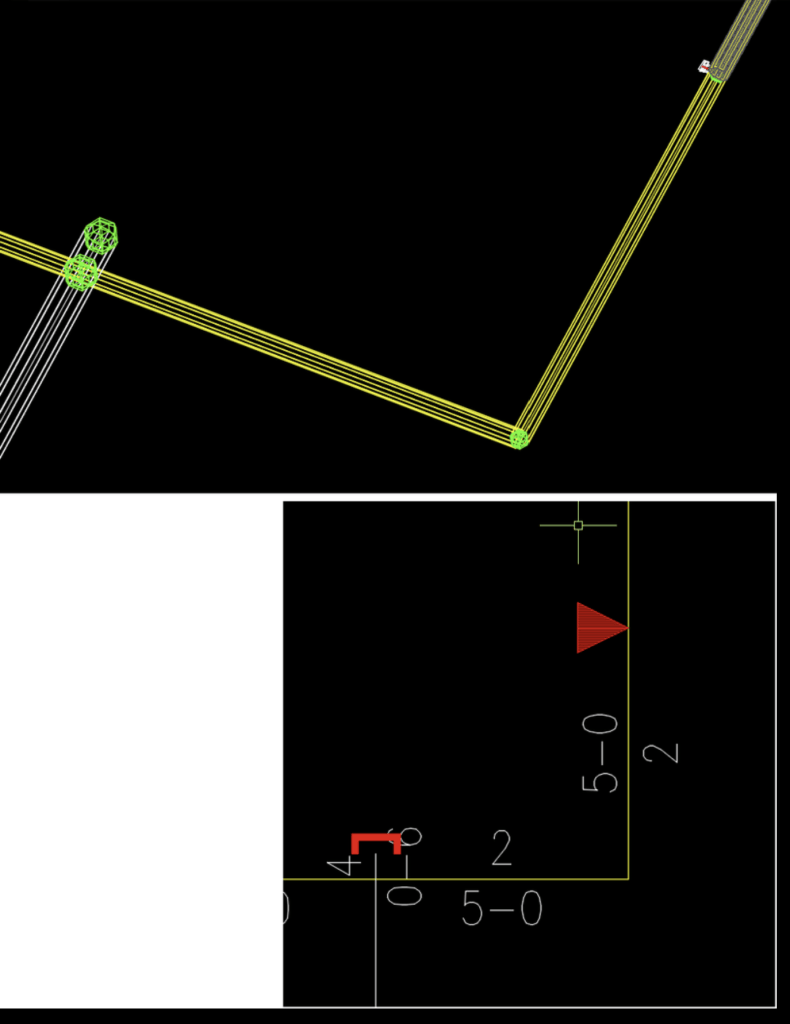
The two solutions are to either erase and re-insert the sprinkler heads at the proper angle or to use the CHB command to rotate multiple sidewalls to their proper direction (at the same time). The command can also be found under the menu HydraTools|Modify|Blocks|Change/Scale/Rotate Blocks.
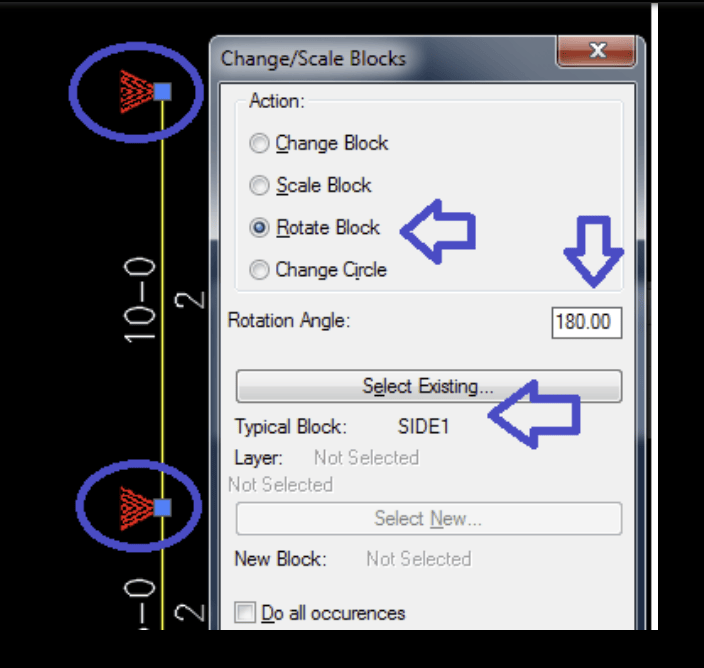
After rotation, you may find the pipe diameter and length are on the opposite sides of the pipe than expected. It is easiest to erase these and resize the pipes, or you can use grips to move them where needed.


Leave a comment