The H-Factor

Reducing Entropy

Recent Posts

Adding Hanger Types to HydraLIST

If you want to use a new type of hanger, or are a fab shop that gets a job from a contractor that uses a hanger type that you do not have, it is easy to add that new hanger type to your own machine. A hanger is an assembly, and an assembly is just…

Welcome

Recently our previous blog service (Typepad) ended their business – so, we have a new home. It will take a bit to get images back and displaying properly, but we are working on it! Final pageview count of original Typepad blog: 387,232

Using a Non-Standard Pipe Type in HydraCALC

A customer called today asking how to enter a 1″ black plastic underground pipe for the calc. This particular situation sounded unique enough that I did not tell him to add that pipe type to our database, as I would have if he expected to see this pipe type used repeatedly. I told him to…

September 2014
M T W T F S S
1234567
891011121314
15161718192021
22232425262728
2930  

From a Customer: “On this job, the main is sloping (using the sloping pipe block), as are the lines. I need the last head to be 5” down from the deck. I Gave them a fixed elevation of [5 Bts] and a fixed elevation at the top of the riser, [34 BTS], but it does not work properly.”
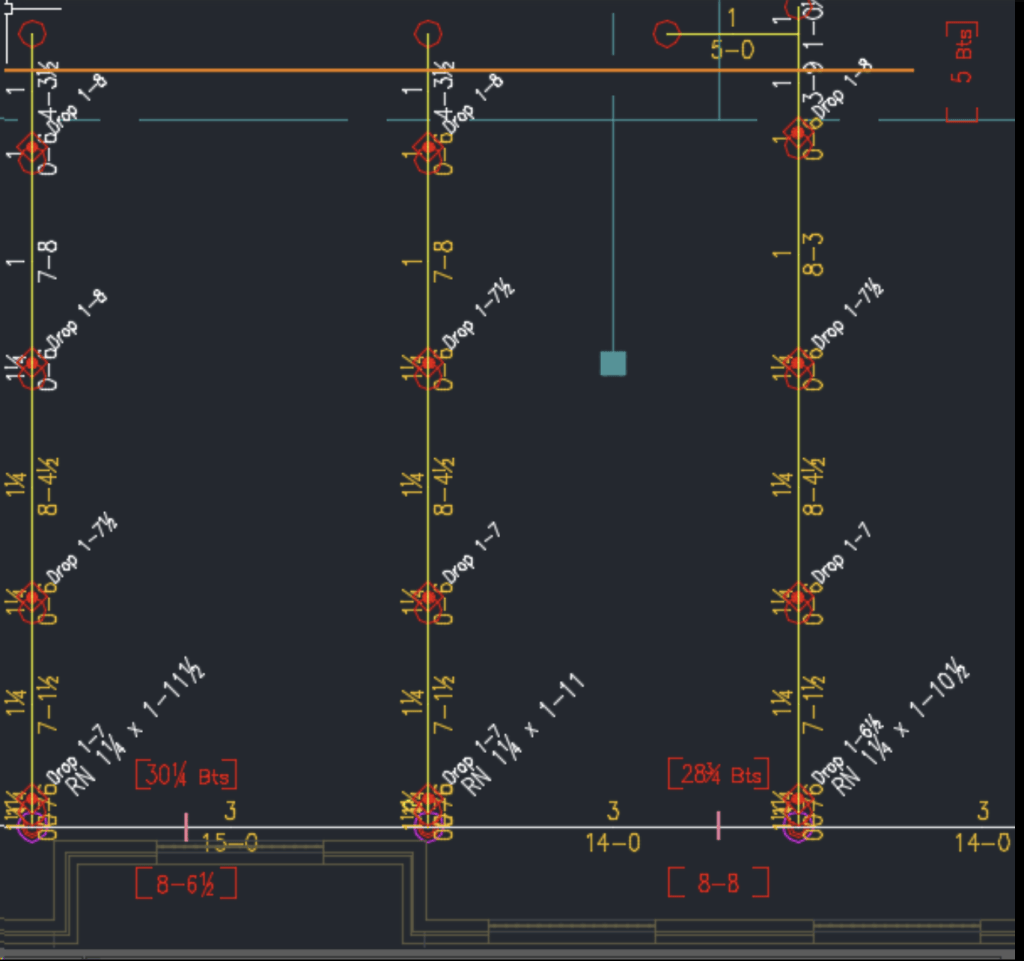
The solution here calls for using Above Finished Floor (AFF) blocks. Why? Because the sloping pipe markers cannot use a BTS as a starting elevation – it has to be an AFF. Fortunately, there is an easy way to do this.

In the Define Pipe Elevations tool (AFF) there is an option named AFF based on BTS. This tool will automatically calculate the AFF at the point selected, adding both an AFF block and a BTS block.
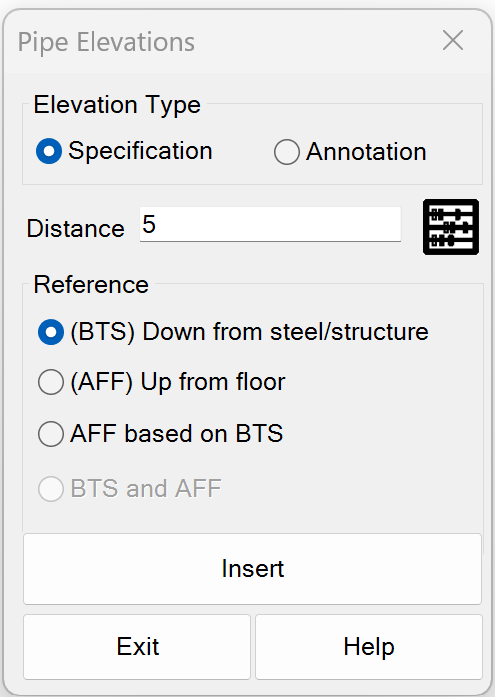
If i input the 5 inches as the Distance, select AFF based on BTS and then select Pick Defining Points, I can then pick near the last head, as requested by the customer.
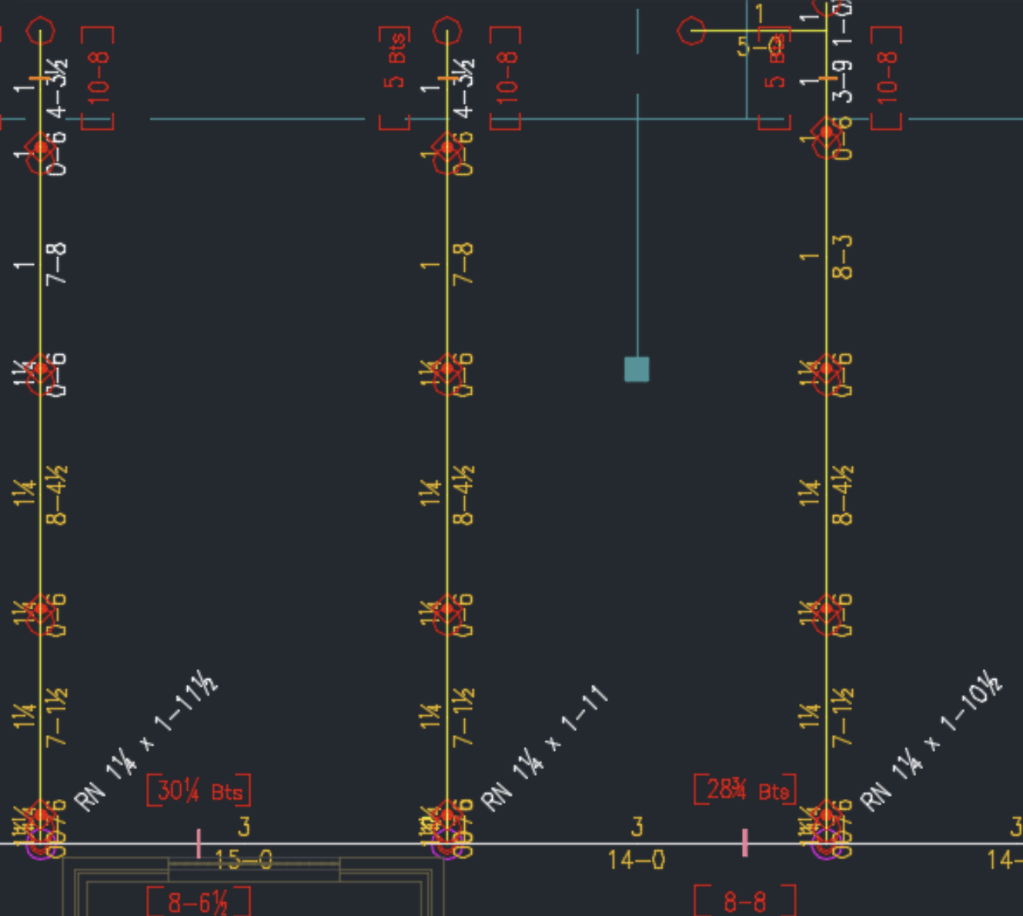
As this requires a single insertion point, it can only be inserted on one line at a time. You can, however, stretch the orange definition line across as many lines as you like. Or, you can copy or array the blocks as needed, as long as the elevations line up.

Posted in

2 responses to “Using BTS (below top of structure) Blocks with Sloping Pipe”

  1. Jerome Van Kolken Avatar

    what do you do if you have a step in your structure?
    Jerome – we have a document explaining what you should do in that situation. Pick the HydraCAD pull down menu, then pick Documentation->How-to-Documents->Elevating Pipes That Cross Two Differently Elevated Structures.pdf – Art

    Like

  2. Jerome Van Kolken Avatar

    Is there a way to cut in couplings on a sloped line when the slope is unknown?

    Like

Leave a comment