The H-Factor

Reducing Entropy

Recent Posts

Welcome

Recently our previous blog service (Typepad) ended their business – so, we have a new home. It will take a bit to get images back and displaying properly, but we are working on it! Final pageview count of original Typepad blog: 387,232

Using a Non-Standard Pipe Type in HydraCALC

A customer called today asking how to enter a 1″ black plastic underground pipe for the calc. This particular situation sounded unique enough that I did not tell him to add that pipe type to our database, as I would have if he expected to see this pipe type used repeatedly. I told him to…

Using the Hydratec Software Download Area

Hydratec uses ShareFile to distribute our software installs and updates. New customers, or those without access, must request access to be able to get at these downloads. Access is only available to customers with a Hydratec subscription or those on an update plan. You can access the download area and request access by picking the…

February 2019
M T W T F S S
 123
45678910
11121314151617
18192021222324
25262728  

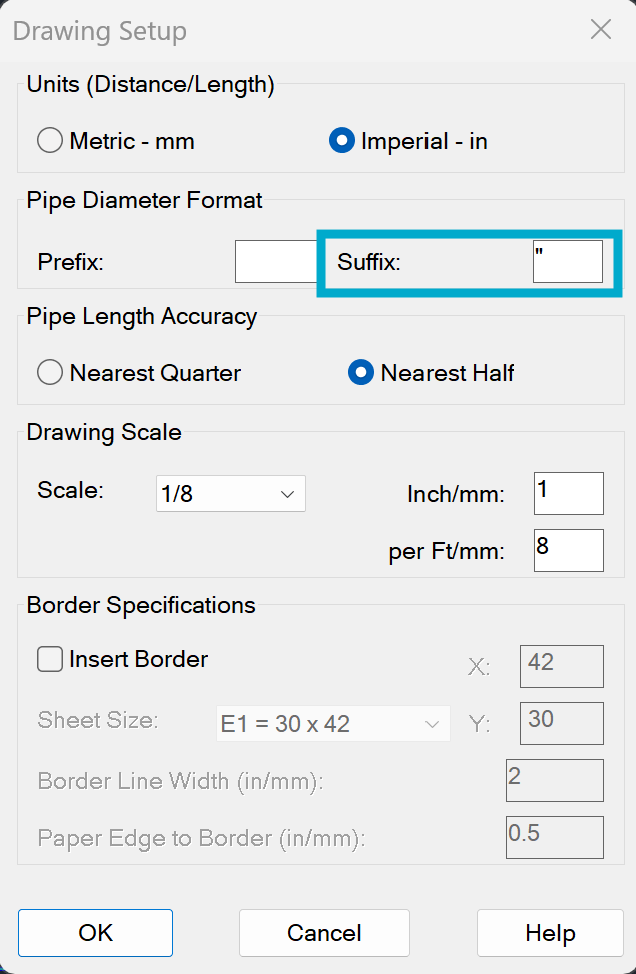
From a Customer: “Where is the setting to get the inch prefix when I am using the change pipe diameters?  Every time I have used this command with 2019 it takes away the inch suffix when I select a pipe size to change.”

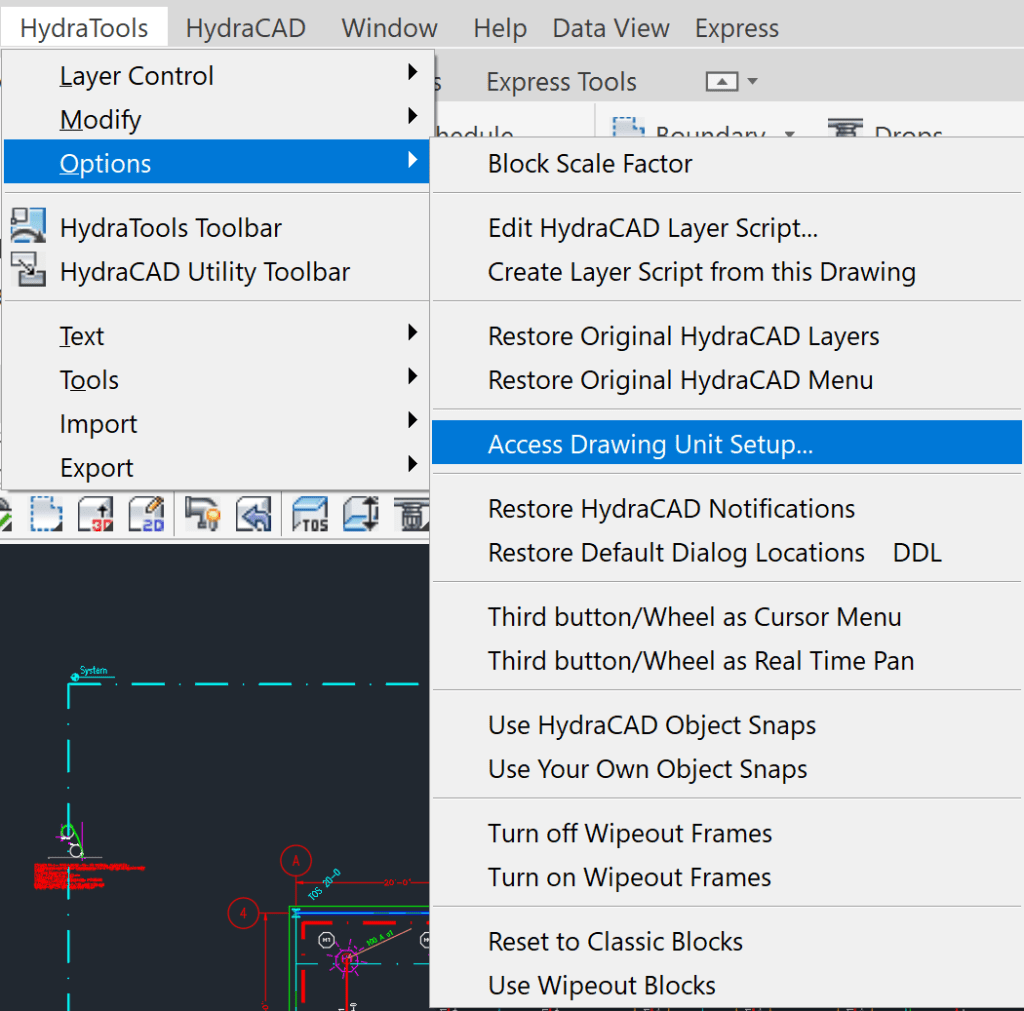
Answer: The place to set it is there when you start a new drawing. You can also access it by picking HydraTools->Options->Access Drawing Unit Setup:

Note: This does not have anything to do specifically with 2019, but it can be easily changed, more or less permanently.
Put a in the Suffix field

The next time you go up to 3D and back to 2D, the suffixes will be updated to reflect your choice.

Note: The Prefix option is more or less only used by our Metric friends in Europe. They sometimes use it to put a nominal diameter symbol in front of the pipe diameter, i.e. ø25

Also: This command can also be used to change the drawing scale if you set it up wrong

Posted in

Leave a comment