

Occasionally we get contacted by a customer who states that something is wrong with his drawings, but when they are opened on another computer, they are fine. If one of the usual suspects is not to blame, we then compare the AutoCAD settings on the ‘bad’ computer to a ‘good’ computer.
AutoCAD includes an Express Tool to help with this – System Variable Editor (SYSVDLG)
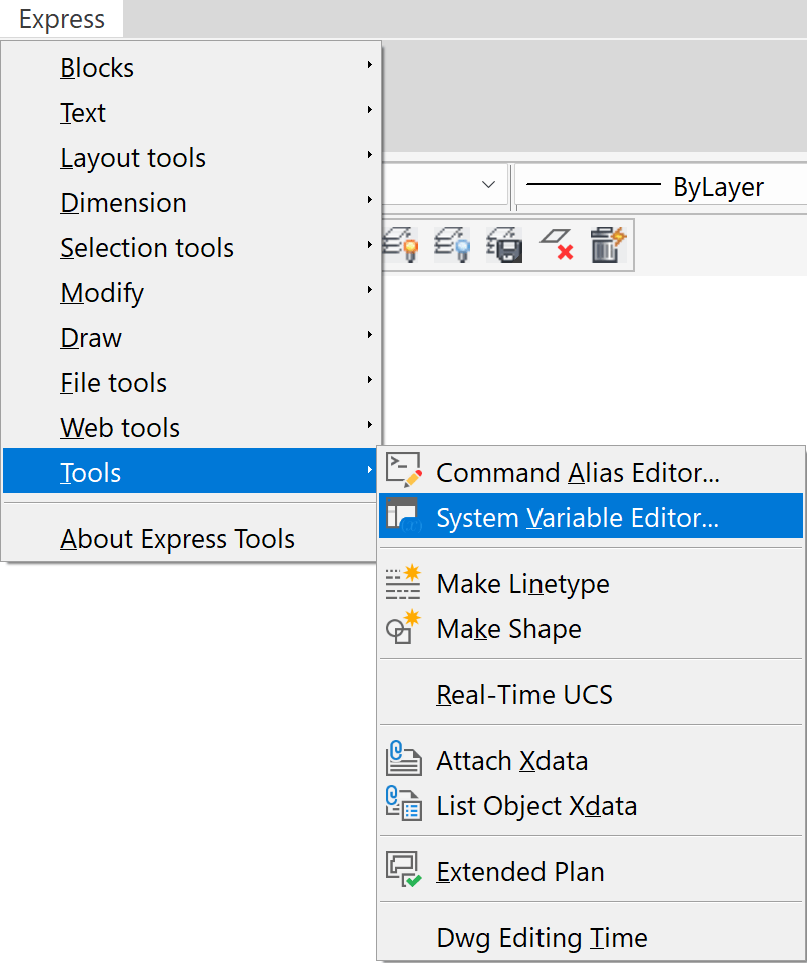
If you start the command, it will bring up the Sys Var Editor:
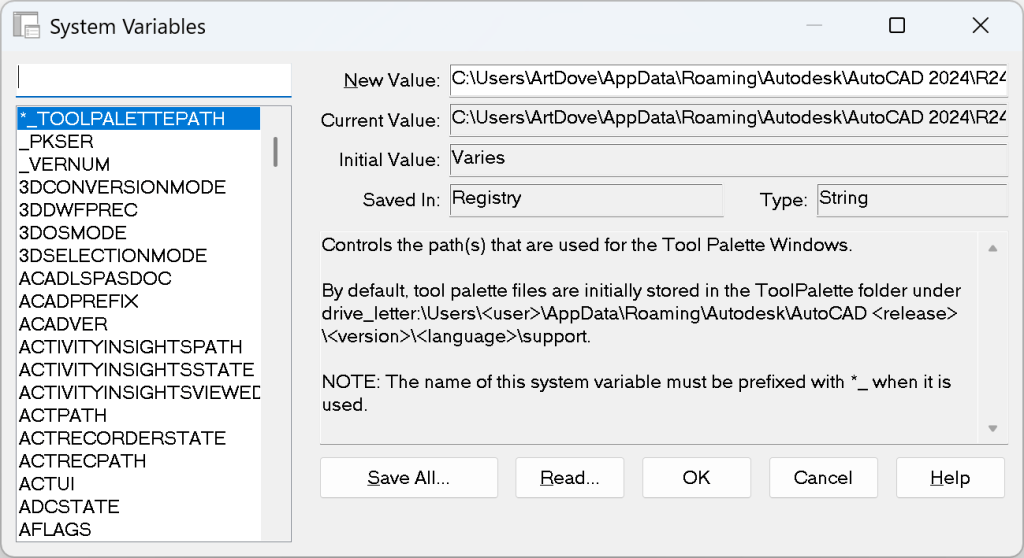
This utility will allow you to see every variable setting, with an explanation of that setting. You could, in theory, have both computers side by side and then scroll through each setting, but there is an easier way.
Pick the Save All button and enter a file name of something like badcomp.svf. This will export all the settings. You can then do the same on the good computer and name it goodcomp.svf. These files can be opened in Notepad and compared side by side. We use a free utility called FCompare to find differences in any two files.
Please note that the vast majority of differences between any two computers are irrelevant. These include things such as last command used and coordinates for insertion. Ignore these. Instead, focus on differences pertaining to the issue you are trying to diagnose, and change those settings one by one until you figure it out.


Leave a Reply